 wahab
wahab 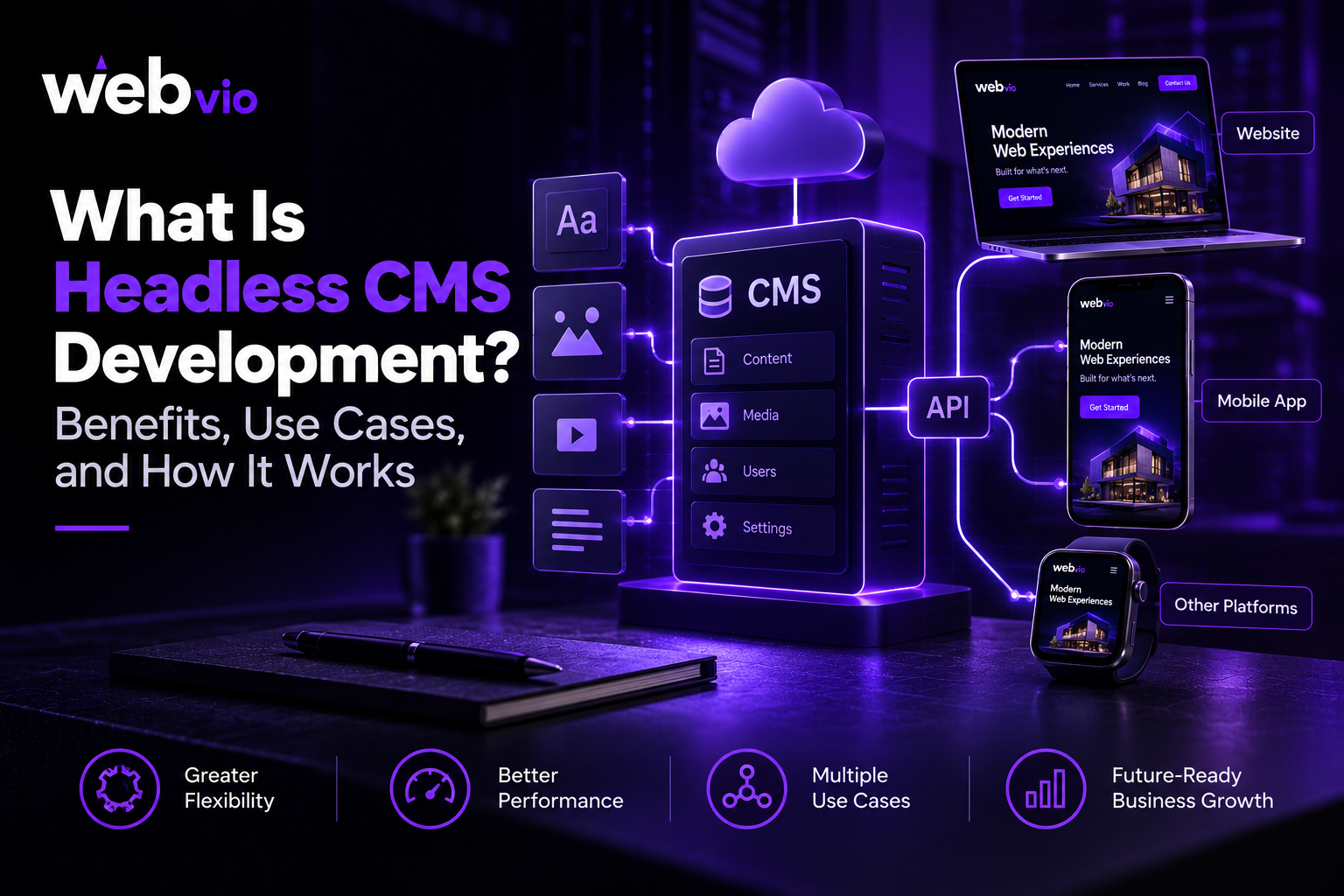
The way businesses create and manage digital content continues to evolve. Customers expect consistent experiences across websites, mobile applications, and other digital channels. At the same time, businesses need the flexibility to update content quickly, integrate modern technologies, and adapt their websites as their requirements change.
Traditional content management systems remain suitable for many websites, but some organizations need greater control over how content is presented across different platforms. This is where headless CMS development becomes valuable.
A headless content management system separates the content management back end from the front-end presentation layer. This allows developers to use different technologies to display content while editors continue managing information through a centralized system.
For businesses planning a new digital platform or modernizing an existing website, understanding how headless CMS works can help determine whether this architecture is worth considering.
What Is Headless CMS Development?
Headless CMS development involves implementing a content management system that stores and organizes content independently of the front-end interface used to display it.
In a traditional content management system, content management and presentation are often closely connected. A website may use a theme or template to display pages directly from the CMS.
With a headless CMS, the content repository is separated from the front end. Content is delivered through an application programming interface (API), allowing websites, mobile apps, and other supported platforms to retrieve and display the same information.
For example, a company could manage service descriptions, product information, and blog articles in one content system. Its website and mobile application could then use that content while presenting it through different interfaces.
Headless architecture does not automatically make a website faster, more secure, or easier to manage. Those outcomes depend on the platform, implementation, hosting, and development practices. The main advantage is architectural flexibility.
How Does a Headless CMS Work?
A headless CMS generally consists of a content management back end, an API layer, and one or more front-end applications.
1. Content management back end
The back end is where editors create, organize, review, and update content. Depending on the platform, it may support text, images, structured content fields, user permissions, publishing workflows, and localization.
Content is organized into reusable structures rather than being tied to a single page layout.
2. API layer
The API allows applications to request content from the CMS. REST and GraphQL are two common approaches, although the available options depend on the platform.
The API defines how content is accessed and delivered to the applications that need it.
3. Front-end presentation
Developers build the website or application that displays the content. They may use technologies such as React, Next.js, Vue, or other suitable frameworks.
The front end retrieves the required content and presents it through the interface designed for that particular audience and device.
4. Publishing and updates
When an editor updates content, the changes can become available to connected applications according to the platform’s publishing and caching configuration.
This makes it possible to maintain a centralized content source while delivering different experiences across multiple channels.
Key Benefits of Headless CMS Development
A headless CMS can offer several advantages for businesses with the right requirements.
Greater front-end flexibility
Separating content from presentation gives developers more freedom to design the user experience. The front end does not need to follow the templates or rendering approach of the CMS itself.
This can be useful for companies that want a highly customized website, interactive interfaces, or a digital experience built around a particular JavaScript framework.
However, greater flexibility also means more responsibility for front-end development, testing, and maintenance.
Content reuse across multiple channels
Businesses often need to publish similar information across different platforms. A headless CMS can provide a central source for content that is delivered to websites, mobile applications, digital displays, and other supported channels.
This reduces the need to maintain separate copies of the same information manually.
The extent of reuse depends on how content models and integrations are designed. Different channels may still require specific formatting or additional content fields.
Support for modern web technologies
A headless CMS allows developers to select a front-end technology that suits the project rather than relying on the presentation layer built into a traditional CMS.
For example, a business might choose a modern JavaScript framework to build a highly interactive website while keeping its editorial workflow in a separate content platform.
This flexibility can be valuable when the website has specialized performance, integration, or design requirements.
Potential performance improvements
A headless architecture can support fast websites when paired with suitable front-end rendering, caching, content delivery, and asset optimization.
Some implementations use static generation or server-side rendering to deliver content efficiently. Others retrieve content dynamically when visitors interact with the website.
Performance is not guaranteed by choosing a headless CMS. API latency, poorly optimized JavaScript, complex queries, and unnecessary client-side rendering can create performance problems if they are not managed carefully.
Greater architectural flexibility
Because the content back end and front end are separated, businesses can sometimes change one layer without replacing the entire system.
For example, an organization may redesign its website while retaining its existing content repository. This can simplify certain future improvements, provided the content models, APIs, and integrations remain compatible.
More options for personalization
A headless CMS can supply structured content to systems that personalize experiences based on audience, location, preferences, or other relevant criteria.
However, personalization generally requires additional tools, business rules, data integrations, and appropriate privacy controls. A headless CMS provides a possible foundation rather than delivering personalization automatically.
Common Use Cases for Headless CMS
Headless CMS architecture is particularly useful when content needs to support several digital experiences or when a business requires greater control over the front end.
Business and corporate websites
Companies with large websites, multiple service lines, or frequent content updates may benefit from structured content and flexible front-end development.
Different page types can share consistent content structures while using layouts designed for their particular purposes.
E-commerce platforms
Online retailers may need product information to appear across a website, mobile application, marketplace, or other digital touchpoint.
A headless CMS can manage editorial content such as buying guides, promotional pages, and product storytelling alongside integrations with commerce systems. Product inventory, checkout, and order management may still be handled by a separate commerce platform.
Mobile applications
Businesses that operate websites and mobile apps can use a centralized content source to reduce duplicated editorial work.
For example, an organization could manage announcements, help articles, and educational resources in one system and deliver them to multiple applications through APIs.
Publishing and content-heavy websites
Publishers, educational organizations, and content-driven businesses may benefit from structured articles, reusable content components, editorial workflows, and distribution across multiple channels.
The suitability of a headless CMS depends on the publishing team’s workflow and the complexity of the content model.
International businesses
Companies serving customers in multiple markets may need localized content, regional variations, and different front-end experiences.
A headless CMS can support centralized content management while allowing developers to build market-specific interfaces. The platform must still provide appropriate localization capabilities, and the implementation needs to handle language and regional requirements correctly.
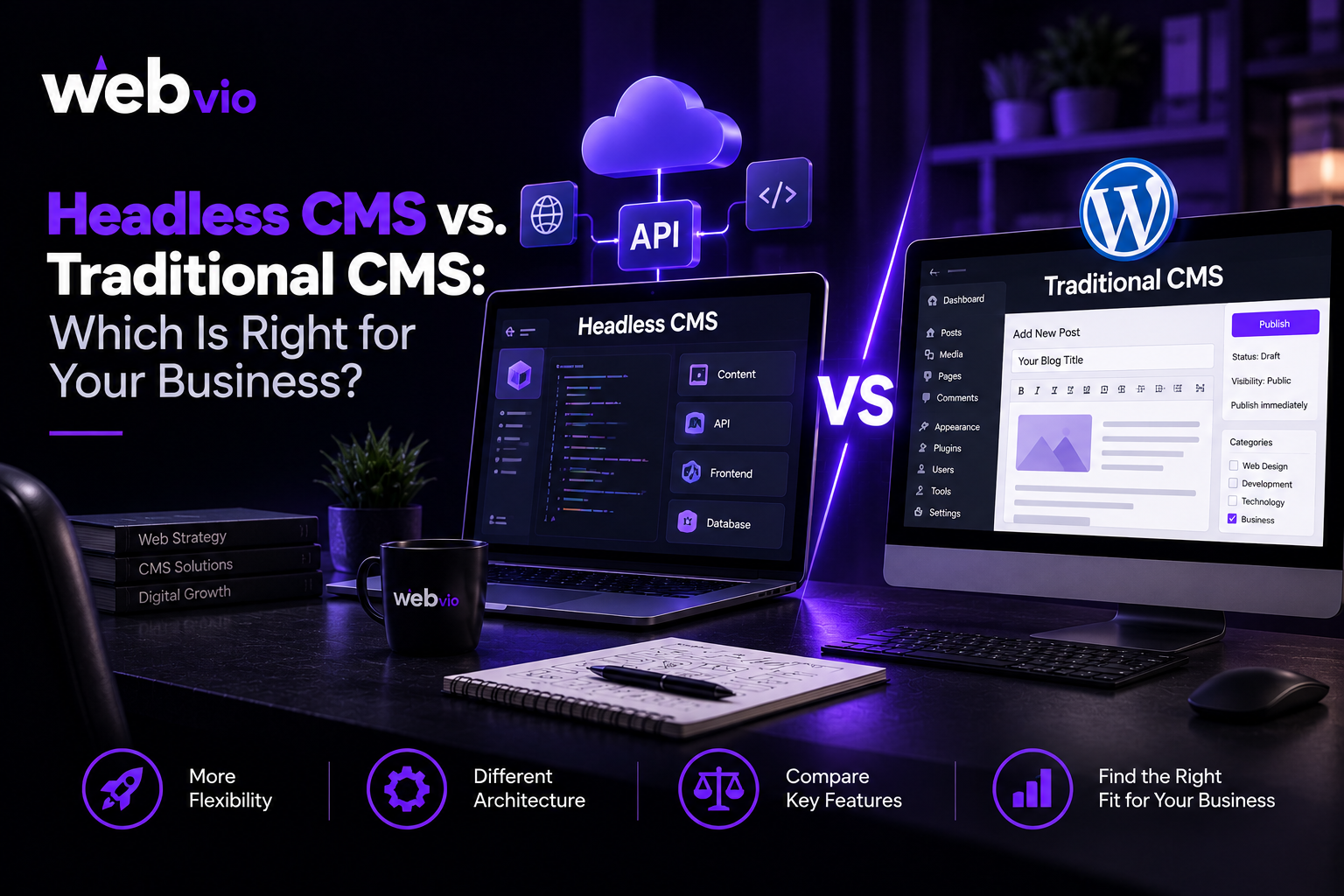
Headless CMS vs. Traditional CMS: Which Is Better?
Neither architecture is universally better. The right choice depends on the business’s technical requirements, content workflow, budget, and internal resources.
| Factor | Traditional CMS | Headless CMS |
|---|---|---|
| Content and presentation | Often closely connected | Separated |
| Initial setup | Can be simpler | May require additional development |
| Front-end flexibility | Depends on platform and theme | Greater freedom to choose front-end technologies |
| Content delivery | Often focused on the built-in website | Can support multiple connected channels |
| Technical expertise | Can be manageable for nontechnical teams | Usually needs stronger development resources |
| Maintenance | Core, themes, and plugins | CMS, APIs, front end, and integrations |
| Best fit | Straightforward websites and established workflows | Multi-channel content and specialized front ends |
A traditional CMS may be the more practical option for a business that needs a conventional website, a familiar editing experience, and a manageable development budget.
A headless CMS may be more suitable when a company needs multiple front ends, specialized functionality, or a content architecture that supports different digital channels.
How to Choose a Headless CMS Development Company
Implementing a headless CMS requires more than selecting a platform. The development partner must understand your content workflows, front-end requirements, integrations, performance expectations, and long-term maintenance needs.
When evaluating a Headless CMS Development Company, consider the following factors.
Relevant technical experience
Ask about the team’s experience with headless CMS platforms, API integrations, content modelling, and modern front-end frameworks.
Relevant platforms may include Contentful, Sanity, Strapi, or other systems suited to your requirements. The best choice depends on functionality, pricing, editorial needs, hosting preferences, and integration options.
Content modelling and editorial workflow
Your CMS should make content easy to create, review, and maintain. Ask how the proposed content structures will support your existing publishing process and future content requirements.
A complicated content model can make routine updates difficult, even when the underlying technology is powerful.
Integration capabilities
Identify the systems the CMS must connect with, such as analytics, CRM software, search tools, commerce platforms, or marketing automation services.
Ask how these integrations will be implemented, tested, and maintained.
Performance, security, and reliability
Discuss API security, authentication, caching, error handling, backups, monitoring, and recovery procedures.
The agency should explain how it will test performance and maintain reliability across the content back end and front end.
Documentation and ongoing support
A clear handover process is important because a headless solution may involve several connected technologies.
Confirm who will maintain the code, manage platform updates, troubleshoot integrations, and train your content team.
If you are evaluating providers, compare their Headless CMS Development Services against your requirements and the long-term resources available to your business.
Is Headless CMS Right for Your Business?
Before adopting headless architecture, consider the problems you are trying to solve.
A headless CMS may be worth exploring if you need to distribute content across multiple platforms, create a highly customized front end, support complex integrations, or separate editorial workflows from website development.
It may be unnecessary if you operate a small website with straightforward pages and do not need specialized functionality. In that situation, a traditional CMS could provide the features you need with less development overhead.
Also consider the total cost of ownership. A headless setup may require separate hosting, front-end development, API monitoring, and specialist maintenance. These costs should be weighed against the flexibility and operational benefits it provides.
The best decision comes from evaluating your actual content workflows, technical requirements, and future plans rather than adopting an architecture simply because it is popular.
Final Thoughts
Headless CMS development gives businesses greater freedom to manage content independently of the front-end experience. It can support multi-channel publishing, customized interfaces, and flexible technology choices when the architecture is implemented carefully.
However, the benefits depend on the project’s requirements and the team’s ability to manage the additional technical responsibilities. For some businesses, a traditional CMS remains the more efficient solution.
Before making a decision, evaluate your publishing workflow, integrations, performance goals, budget, and internal technical resources. Choose an approach that solves real business problems and remains manageable over time.
If you are exploring modern content management and web development options, Webvio Design can be a starting point for assessing solutions that align with your business goals.
Frequently Asked Questions
What is the main difference between a headless CMS and a traditional CMS?
A traditional CMS often connects content management with the website’s presentation layer. A headless CMS separates them and delivers content through APIs to independently developed front ends.
Is headless CMS suitable for small businesses?
It can be, particularly when a business needs multiple digital channels or a highly customized front end. For a simple website, a traditional CMS may be more cost-effective and easier to manage.
Which technologies are used in headless CMS development?
Common options include headless platforms such as Contentful, Sanity, and Strapi, together with front-end frameworks such as React, Next.js, and Vue. The right combination depends on project requirements.
Does a headless CMS improve website speed?
It can support better performance when implemented with appropriate rendering, caching, and asset optimization. A poorly configured headless website can still be slow.
Can I migrate from a traditional CMS to a headless CMS?
Yes. Migration typically involves reviewing existing content, mapping content structures, transferring data, building the new front end, testing integrations, and preserving important URLs and SEO elements.
How much does headless CMS development cost?
Costs vary depending on platform licensing, content complexity, front-end development, integrations, migration, and ongoing maintenance. A detailed project scope is the best starting point for an accurate estimate.